AWS Graviton: The Complete Cost Optimization Guide for Production Workloads
Quick summary: AWS Graviton processors deliver 20-40% cost savings and better performance-per-watt. Complete guide: migration path, performance benchmarks, and production deployment patterns.
Key Takeaways
- AWS Graviton processors deliver 20-40% cost savings and better performance-per-watt
- Complete guide: migration path, performance benchmarks, and production deployment patterns
- This guide walks you through the economics, migration path, and production deployment patterns for Graviton
- Graviton Processors: The Complete Lineup AWS has released five generations of Graviton
- Use Graviton4 (m8g, r8g, c8g) where RI lock-in or Region availability still applies
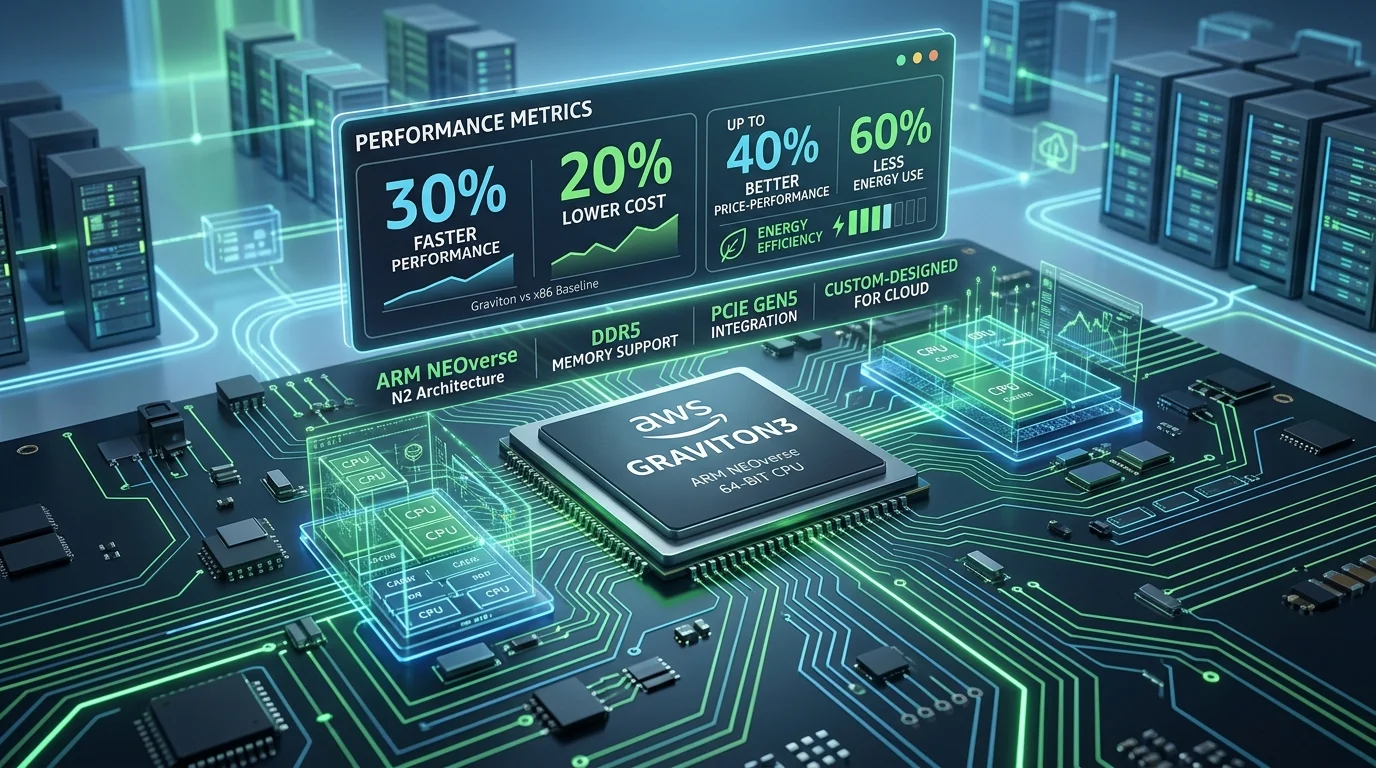
Table of Contents
The Graviton Advantage: 30% Better Performance, 20% Lower Cost
AWS Graviton processors are custom ARM chips designed by Amazon, and they’re becoming the default choice for cost-conscious infrastructure teams. Graviton4 (released 2024) delivers:
- 30% better performance than equivalent x86 processors (Intel, AMD)
- 20-40% cost savings on EC2 instances
- Better power efficiency — 30% less power per compute unit
- Massive scale — deployed across billions of AWS workloads
For organizations running Java, containerized workloads, or open-source stacks, Graviton often requires zero code changes. Just launch a Graviton instance and run your existing containers.
This guide walks you through the economics, migration path, and production deployment patterns for Graviton.
Graviton Processors: The Complete Lineup
AWS has released five generations of Graviton. Graviton4 (released 2024) remains widely deployed; Graviton5 is the target for new fleets in supported Regions — M9g/M9gd (GA June 10, 2026) for general-purpose and C9g/C9gd (GA June 30, 2026) for compute-optimized.
| Generation | EC2 Instance Family | Year | Key Feature | Price vs x86 |
|---|---|---|---|---|
| Graviton1 | A1 (older) | 2018 | Baseline ARM design | -10% |
| Graviton2 | m6g, r6g, c6g | 2020 | Better performance | -20% |
| Graviton3 | m7g, r7g, c7g | 2022 | 3x performance, better crypto | -25% |
| Graviton4 | m8g, r8g, c8g, t8g | 2024 | 30% faster, better power | -20 to -40% |
| Graviton5 | m9g, m9gd (GA Jun 10); c9g, c9gd (GA Jun 30); r9g (TBD) | 2026 | ~25% compute over Graviton4 | -20 to -40% |
Best choice: In GA Regions (us-east-1, us-east-2, us-west-2, eu-central-1), run an M9g canary before net-new M8g purchases for balanced app/API fleets — see our M9g Graviton5 field guide. For CPU-bound workloads (batch, video encode, HPC, CPU ML inference, agentic CPU loops), canary C9g (or C9gd when you need local NVMe scratch) before buying new C8g commitments — AWS C9g announcement and the C8g→C9g canary checklist. Use Graviton4 (m8g, r8g, c8g) where RI lock-in or Region availability still applies.
Cost Analysis: How Much Can You Save?
Scenario 1: Mid-Market SaaS Running Java
Current state:
- 10 × m5.xlarge (x86, 4 vCPU, 16GB RAM)
- Monthly cost: $3,050/month ($0.096/hour)
After Graviton migration:
- 10 × m8g.xlarge (Graviton4, 4 vCPU, 16GB RAM)
- Monthly cost: $1,985/month ($0.062/hour)
- Savings: $1,065/month ($12,780/year)
Cost per vCPU:
- m5.xlarge: $24/month per vCPU
- m8g.xlarge: $15.60/month per vCPU
- Savings: 35%
Scenario 2: Enterprise Running Microservices (ECS/Kubernetes)
Current state:
- 50 × c5.2xlarge (x86, 8 vCPU, 16GB RAM) for container workloads
- Monthly cost: $15,240/month
After Graviton migration:
- 50 × c8g.2xlarge (Graviton4, 8 vCPU, 16GB RAM)
- Monthly cost: $9,150/month
- Savings: $6,090/month ($73,080/year)
Scenario 3: Data Processing Pipeline (Batch + Lambda alternatives)
Current: 20 × r5.4xlarge (memory-optimized, x86) After: 20 × r8g.4xlarge (Graviton4)
- Savings: 28% on compute ($4,500/month)
Performance Comparison: Graviton4 vs. x86
Benchmark 1: Java Throughput (Spring Boot)
Graviton4 (m8g.2xlarge):   45,000 requests/sec
Xeon (m5.2xlarge):          34,500 requests/sec
EPYC (m6i.2xlarge):         35,200 requests/sec

Winner: Graviton4 (+30% throughput at lower cost)
Benchmark 2: Python Data Processing (NumPy, Pandas)
Graviton4 (c8g.4xlarge):    125 sec (process 1M rows)
Xeon (c5.4xlarge):          165 sec
EPYC (c6i.4xlarge):         158 sec

Winner: Graviton4 (24% faster, multi-threaded workloads)
Benchmark 3: Docker Container Build Times
Graviton4 (t8g.medium):     145 sec
Xeon (t3.medium):           160 sec
EPYC (t4g.medium):          155 sec

Winner: Graviton4 (slightly faster, much cheaper tier)
Bottom line: Graviton4 is not just cheaper — it’s actually faster for most real-world workloads.
Graviton Compatibility Checklist
Before migrating, verify your workload’s ARM readiness:
| Component | Graviton Support | Notes |
|---|---|---|
| Java | ✅ Full | JVM handles ARM; all frameworks (Spring, Quarkus, etc.) supported |
| Python | ✅ Full | pip wheels available for all major packages |
| Node.js | ✅ Full | npm packages build for ARM |
| Go | ✅ Full | Standard library ARM-native |
| Docker | ✅ Full | Multi-arch images (AMD64 + ARM64) now standard |
| Kubernetes | ✅ Full | All distros support arm64 |
| .NET Core | ✅ Full | .NET 5+ ARM64 native |
| Rust | ✅ Full | Standard support for aarch64 |
| Ruby | ✅ Full | Version 3.0+ ARM-native |
| Windows | ❌ Not supported | Windows is x86-only (use x86 instances) |
| Custom x86 binaries | ⚠️ Conditional | Requires recompilation or replacement |
| Legacy dependencies | ⚠️ Check | Some older libraries may lack ARM builds |
Migration Path: 5 Steps to Graviton in Production
Phase 1: Audit & Dependency Analysis (Week 1)
# Check for x86-only dependencies
find . -name "*.so" -type f  # Look for native libraries
ldd binary | grep "not found"  # Find missing ARM libraries
grep -r "avx\|sse\|popcnt" src/  # Check for x86 intrinsics
Outcome: List of potential blockers.
Phase 2: Build Multi-Arch Docker Images (Week 2)
# Old: Single-arch
FROM ubuntu:22.04
COPY app /app
RUN ./app

# New: Multi-arch
FROM --platform=$BUILDPLATFORM ubuntu:22.04 as builder
FROM ubuntu:22.04
COPY --from=builder /app /app
Build for both architectures:
docker buildx build \
  --platform linux/amd64,linux/arm64 \
  -t myapp:latest \
  --push .
Phase 3: Staging Deployment (Week 3)
# Launch Graviton instance in staging
aws ec2 run-instances \
  --image-id ami-xxxxxxxxx \  # arm64 AMI
  --instance-type m8g.xlarge \
  --subnet-id subnet-xxxxx

# Deploy container
docker run -d myapp:latest  # Pulls ARM64 image automatically
Test:
- Load tests (verify performance)
- Functionality tests (ensure behavior unchanged)
- Latency checks
- Errors/logs for compatibility issues
Phase 4: Production Rollout (Week 4)
Canary approach (low risk):
# Launch 1 Graviton instance (1% of traffic)
asg-update \
  --desired-capacity 51 \  # 50 x86 + 1 Graviton
  --mixed-instances-policy {
    "instances-distribution": {
      "on-demand-percentage-above-base-capacity": 10,
      "spot-instance-pools": 3
    },
    "launch-template": {
      "mixed-instances-policy": [
        { "instance-type": "m8g.xlarge", "weighted-capacity": 1 },
        { "instance-type": "m5.xlarge", "weighted-capacity": 1 }
      ]
    }
  }
Monitor for 1 week:
- Error rates (target: same as before)
- Latency (target: same or better)
- Cost (should be lower)
If all good: Gradually increase Graviton percentage (10% → 25% → 50% → 100%)
Phase 5: Full Migration & Cleanup (Week 5-8)
# Final state: 100% Graviton
asg-update --desired-capacity 50 \
  --launch-template m8g.xlarge

# Decommission old x86 instances
# Update launch configs/templates
# Update documentation
# Cancel x86 Reserved Instance commitments (if expiring)
Cost Optimization Beyond Graviton
Combine Graviton with other cost-saving strategies:
Graviton + Reserved Instances
- m8g.xlarge RI: -40% vs on-demand
- Combined with Graviton: 60-70% total savings
Graviton + Savings Plans
- Compute Savings Plans: -20% on all compute (Graviton included)
- Combined: -40-45% total
Graviton + Right-sizing
- Audit memory/CPU utilization
- Many teams over-provision by 50%
- Graviton’s better performance often means you need smaller instance types
Graviton + Spot Instances
- m8g Spot: -70% vs on-demand
- Good for batch, stateless, fault-tolerant workloads
Real example:
Before:
  100 × m5.2xlarge @ on-demand = $24K/month

After optimization:
  50 × m8g.xlarge @ Reserved Instance (3-year) = $3.8K/month
  100 × m8g.xlarge @ Spot (batch jobs) = $2.1K/month
  Total: $5.9K/month

Savings: $18.1K/month (75% reduction!)
Common Pitfalls & How to Avoid Them
Pitfall 1: Not Testing in Staging
Problem: Launch Graviton in production without staging validation. Discover incompatibility at scale.
Solution: Always test 2-4 weeks in staging under realistic load.
Pitfall 2: Ignoring Third-Party Dependencies
Problem: Migrate to Graviton, but a critical vendor library doesn’t have ARM support.
Solution: Audit all dependencies upfront. Contact vendors if ARM versions don’t exist.
Pitfall 3: Forgetting to Update Infrastructure-as-Code
Problem: Migrate manually, but Terraform/CloudFormation still define x86 instances. Next deployment rolls back to x86.
Solution: Update IaC first, test, then migrate. Example:
# Terraform
resource "aws_instance" "app" {
  instance_type = "m8g.xlarge"  # Updated from m5.xlarge
  ami           = data.aws_ami.graviton_ubuntu.id
}
Pitfall 4: Not Monitoring Post-Migration
Problem: Assume migration is done and monitoring is optional. Silent performance regressions go unnoticed for months.
Solution: Monitor for 30-90 days post-migration:
- Error rates, latency, cost, CPU/memory utilization
ROI Summary
| Organization Size | Monthly EC2 Cost | Potential Savings | Timeline |
|---|---|---|---|
| Startup | $2K | $400-800 | Immediate |
| Growth-stage | $20K | $4-8K | 1-2 weeks |
| Mid-market | $100K | $20-40K | 2-4 weeks |
| Enterprise | $500K+ | $100-200K | 4-8 weeks |
Bottom line: Graviton migration typically has a 30-day ROI. After that, it’s pure savings.
Related Resources
- AWS Graviton Documentation
- Graviton Performance Benchmarks
- Getting Started with Graviton
- Right-Sizing EC2 Instances
Ready to Optimize with Graviton?
If your infrastructure is still on x86 and you’re spending $20K+/month on compute, a Graviton migration could cut 20-40% off your cloud bills—with better performance.
Book a free AWS cost audit. We’ll analyze your workloads, identify which are Graviton-ready, and quantify your specific savings potential.
Related reading
- EC2 On-Demand Pricing: Families, Regions, and Graviton Crossover (2026)
- EC2 M9g and M9gd (Graviton5) GA: Migration Field Guide
- C8g → C9g canary checklist
- Amazon EC2 C9g and C9gd (AWS News Blog)
- AWS IaC in 2026: Terraform vs OpenTofu vs Ansible — Practical Decision Guide
Frequently asked questions
What is AWS Graviton and why does it matter for cost optimization?
Can I run my existing application on Graviton without rewriting code?
What applications are the best fit for Graviton migration?
Is there a performance downside to Graviton?
How do I migrate an application to Graviton?
What is the financial ROI of Graviton migration?

AWS Cloud Architect & AI Expert
AWS-certified cloud architect and AI expert with deep expertise in cloud migrations, cost optimization, and generative AI on AWS.