How to Implement Blue/Green Deployments on ECS with CodeDeploy
Quick summary: ECS blue/green without downtime: CodeDeploy canary/linear still works — and native ECS BLUE_GREEN (2025+) is now a first-class path. July 2026 checklist: hooks, alarms, dual-run cost.
Key Takeaways
- ECS blue/green without downtime: CodeDeploy canary/linear still works — and native ECS BLUE_GREEN (2025+) is now a first-class path
- July 2026 checklist: hooks, alarms, dual-run cost
- As of July 2026, you have two AWS-supported paths: 1
- ECS native blue/green — with (built-in since mid-2025; AWS’s recommended default for many services) 2
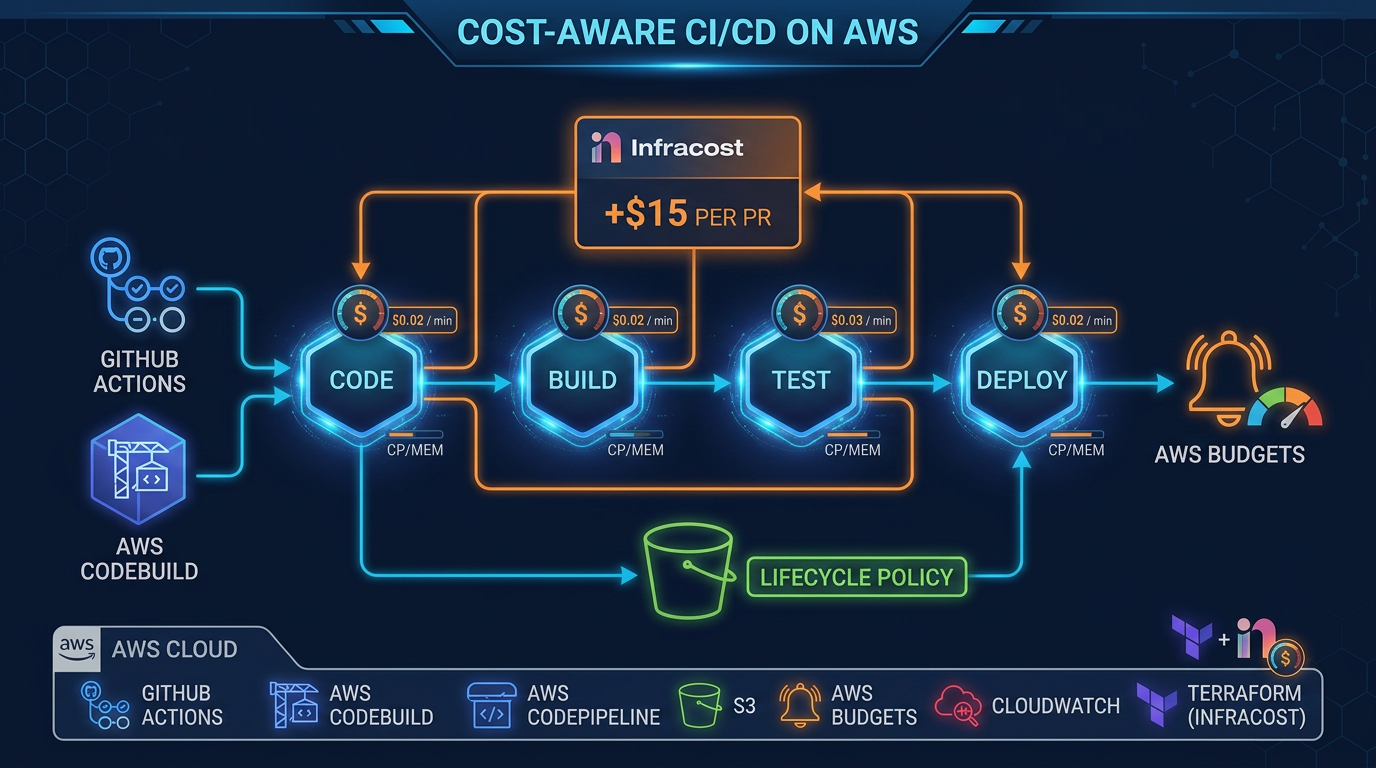
- First-party benchmark (illustrative): 3 Fargate tasks ≈ $0.12/hr steady; during a ~15-minute blue+green window you roughly double task burn (~$0.06 extra per deploy) — noise compared to an outage
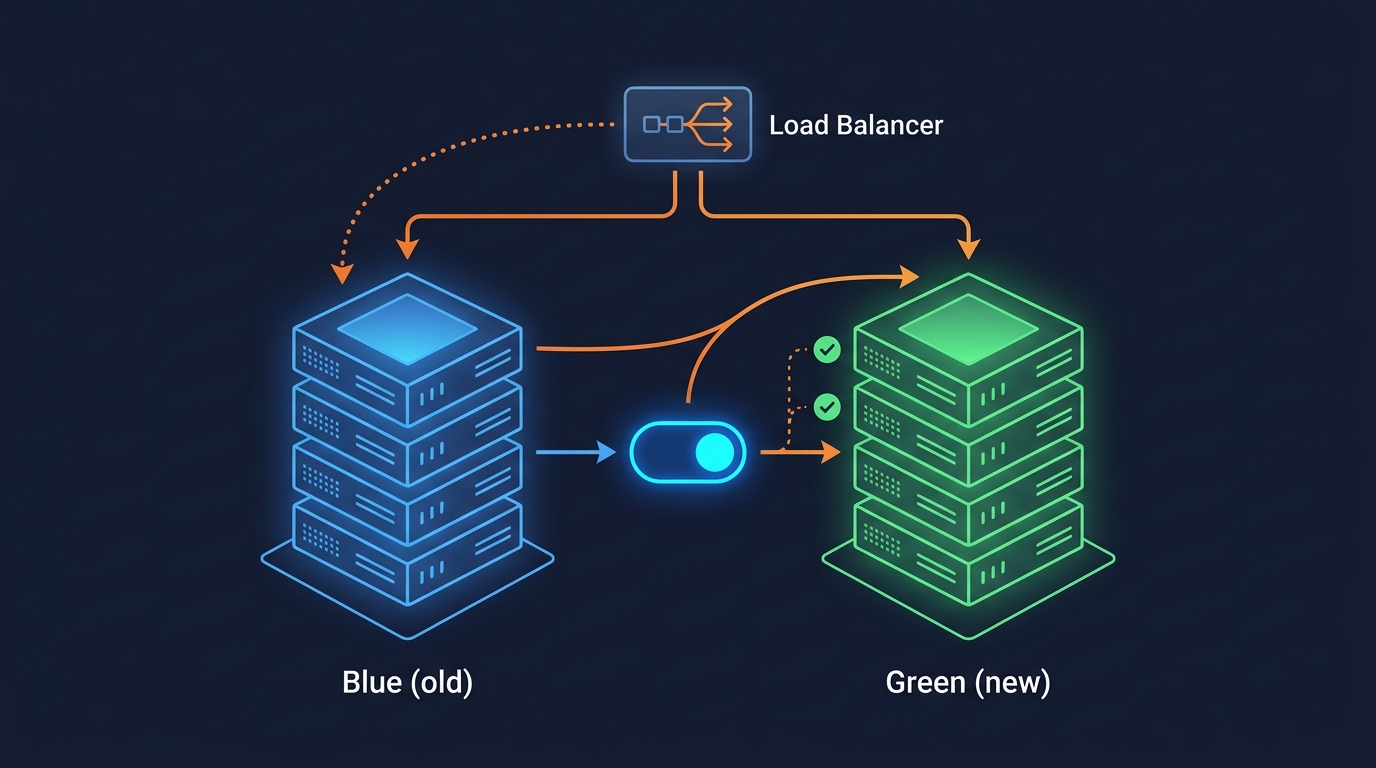
Table of Contents
Blue/green deployments eliminate downtime by running two production task sets and shifting traffic only after green is healthy — with automatic rollback if checks fail.
As of July 2026, you have two AWS-supported paths:
- ECS native blue/green —
deploymentController.type=ECSwithdeploymentConfiguration.strategy=BLUE_GREEN(built-in since mid-2025; AWS’s recommended default for many services) - CodeDeploy-controlled blue/green —
deploymentController.type=CODE_DEPLOYwith canary/linear presets andappspechooks (this guide)
Keep CodeDeploy when you already depend on its deployment configs and lifecycle hooks; prefer native ECS B/G for greenfield services that only need ALB/NLB/Service Connect weight shifts.
First-party benchmark (illustrative): 3 Fargate tasks ≈ $0.12/hr steady; during a 15-minute blue+green window you roughly double task burn ($0.06 extra per deploy) — noise compared to an outage.
Reproduce this: ECS B/G checklist · blue/green vs canary decision
Deploying on AWS? Migration/deploy services · contact.
Step 1: Understand Blue/Green Architecture
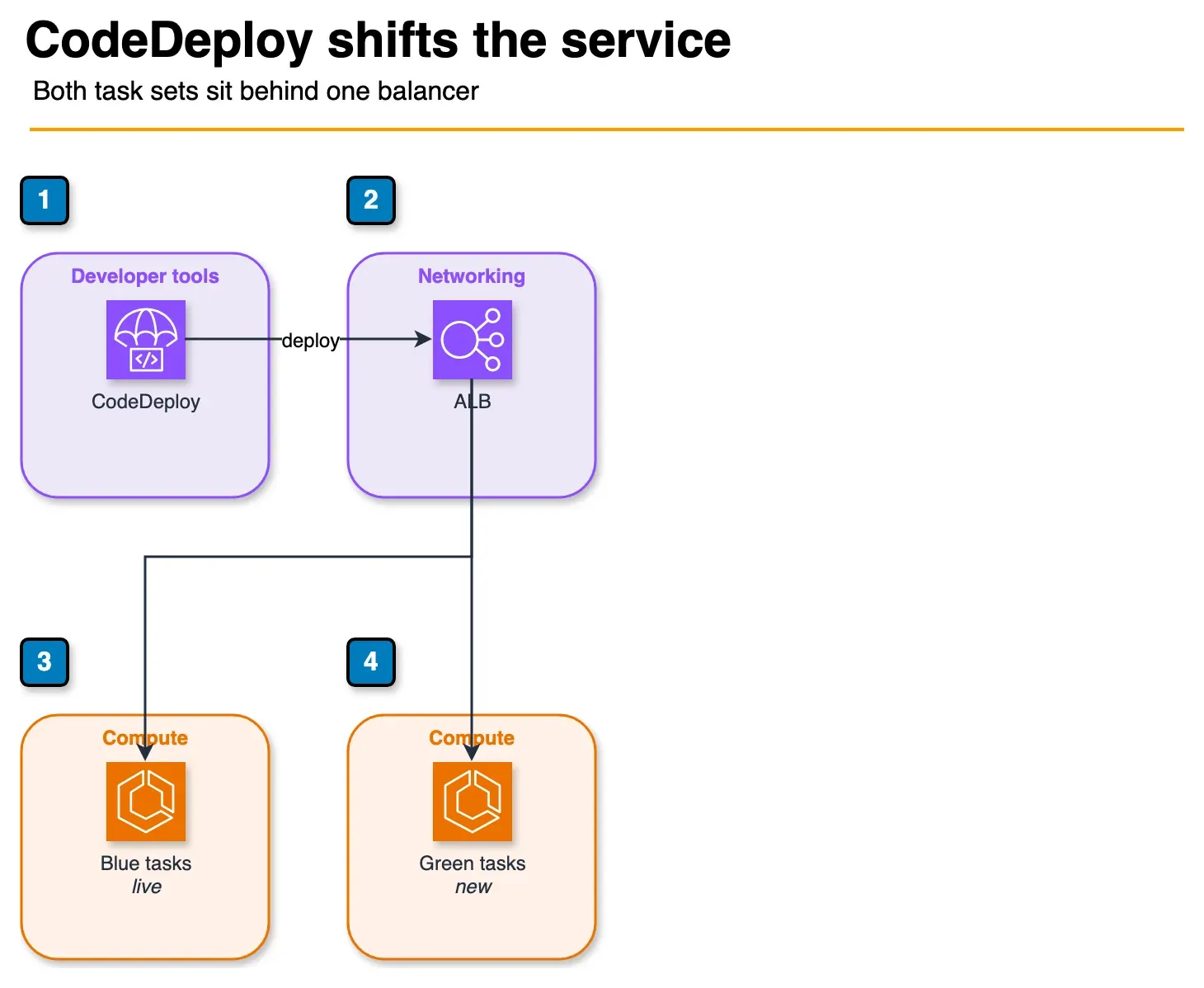
Figure: ECS blue/green in the article. CodeDeploy starts the green task set at no traffic. The load balancer shifts weight only after the health check passes, then blue is terminated. This is the CodeDeploy controller, not a manual listener edit and not a DNS weight. Open the draw.io source.
Before Deployment:
  Load Balancer → Blue Task Set (old version, 100% traffic)

During Deployment:
  Load Balancer → Blue Task Set (100% traffic)
              ↘ Green Task Set (starting, 0% traffic)
              (health check)

After Health Check Pass:
  Load Balancer → Blue Task Set (10% traffic, canary)
              ↘ Green Task Set (90% traffic)
              (monitor metrics)

After Validation:
  Load Balancer → Green Task Set (100% traffic, new version)
              ✓ Blue Task Set (terminated)

If Green Fails:
  Load Balancer → Blue Task Set (100% traffic, old version restored)
Key concepts:
- Blue: Current production version
- Green: New version being deployed
- Task Set: Group of ECS tasks running the same image
- Traffic Shift: Move traffic from blue to green gradually
- Health Check: Ensure new tasks are ready before shifting traffic
Step 2: Create ECS Service with CodeDeploy Integration
Create an ECS service configured for blue/green deployments:
# Create ECS service with CodeDeploy deployment controller
aws ecs create-service \
  --cluster production \
  --service-name api-service \
  --task-definition api:1 \
  --desired-count 3 \
  --load-balancers \
    targetGroupArn=arn:aws:elasticloadbalancing:region:account:targetgroup/api/xxx,\
containerName=api,\
containerPort=3000 \
  --deployment-controller type=CODE_DEPLOY \
  --network-configuration \
    awsvpcConfiguration='{subnets=[subnet-xxx,subnet-yyy],securityGroups=[sg-xxx],assignPublicIp=DISABLED}' \
  --region us-east-1
Key flags:
--deployment-controller type=CODE_DEPLOY— enables blue/green via CodeDeploy (not ECS rolling deployment)--load-balancers— ALB target group where traffic is managed--network-configuration— VPC settings for tasks
Step 3: Create CodeDeploy Application
# Create CodeDeploy application
aws codedeploy create-app \
  --application-name api-service \
  --compute-platform ECS

# Create deployment group
aws codedeploy create-deployment-group \
  --application-name api-service \
  --deployment-group-name production \
  --deployment-config-name CodeDeployDefault.ECSLinear10Percent5Minutes \
  --service-role-arn arn:aws:iam::123456789012:role/CodeDeployECSRole \
  --deployment-style triggeringOnDeploymentSuccess=false,deploymentType=BLUE_GREEN
Deployment config options:
CodeDeployDefault.ECSLinear10Percent5Minutes— 10% traffic shift every 5 minsCodeDeployDefault.ECSCanary10Percent5Minutes— 10% for 5 mins, then 100%CodeDeployDefault.ECSAllAtOnce— Instant 100% (risky)
Step 4: Create appspec.yaml for CodeDeploy
Create appspec.yaml in your repository root:
version: 0.0
Resources:
  - TargetService:
      Type: AWS::ECS::Service
      Properties:
        TaskDefinition: !Ref TaskDefinition
        LoadBalancerInfo:
          ContainerName: 'api'
          ContainerPort: 3000
        PlatformVersion: 'LATEST'
        NetworkConfiguration:
          AwsvpcConfiguration:
            Subnets:
              - subnet-xxx
              - subnet-yyy
            SecurityGroups:
              - sg-xxx
            AssignPublicIp: DISABLED

Hooks:
  # Pre-traffic validation: test new version before shifting traffic
  - BeforeAllowTraffic: 'validate-deployment'
  # Post-traffic validation: monitor after traffic shift
  - AfterAllowTraffic: 'post-deploy-test'

Phases:
  ApplicationStart:
    OnFailure: ROLLBACK
  ApplicationStop:
    OnFailure: CONTINUE
Key sections:
Resources— ECS service and task definitionHooks— Validation scripts before/after traffic shiftPhases— Deployment lifecycle (ApplicationStart, ApplicationStop)
Step 5: Create Health Check Validation Lambda
CodeDeploy runs a Lambda before allowing traffic shift. This validates the new version:
# validate-deployment.py (Lambda function)
import json
import boto3
import urllib3

def lambda_handler(event, context):
    """Validate green task before traffic shift"""

    # Get deployment info
    codedeploy = boto3.client('codedeploy')
    deployment_id = event['DeploymentId']

    # Get target IP from ECS task
    ecs = boto3.client('ecs')

    # Query ECS task for green task set
    task_response = ecs.list_tasks(
        cluster='production',
        serviceName='api-service',
        desiredStatus='RUNNING'
    )

    tasks = ecs.describe_tasks(
        cluster='production',
        tasks=task_response['taskArns']
    )

    # Get task IP
    task = tasks['tasks'][0]
    ip = task['attachments'][0]['details'][0]['value']  # Private IP

    # Health check: GET /health
    http = urllib3.PoolManager()
    try:
        response = http.request(
            'GET',
            f'http://{ip}:3000/health',
            timeout=5
        )

        if response.status == 200:
            data = json.loads(response.data)

            # Validation checks
            if data.get('status') == 'ok':
                print(f"✓ Health check passed for {ip}")

                # Report success to CodeDeploy
                codedeploy.put_lifecycle_event_hook_execution_status(
                    deploymentId=deployment_id,
                    lifecycleEventHookExecutionId=event['LifecycleEventHookExecutionId'],
                    status='Succeeded'
                )
                return {'statusCode': 200, 'body': 'Validation passed'}
            else:
                raise Exception(f"Health check failed: {data}")
        else:
            raise Exception(f"HTTP {response.status}")

    except Exception as e:
        print(f"✗ Validation failed: {str(e)}")

        # Report failure to CodeDeploy (triggers rollback)
        codedeploy.put_lifecycle_event_hook_execution_status(
            deploymentId=deployment_id,
            lifecycleEventHookExecutionId=event['LifecycleEventHookExecutionId'],
            status='Failed'
        )
        raise
Package and deploy:
# Package Lambda
zip function.zip validate-deployment.py

# Create Lambda function
aws lambda create-function \
  --function-name validate-deployment \
  --runtime python3.11 \
  --handler validate-deployment.lambda_handler \
  --zip-file fileb://function.zip \
  --role arn:aws:iam::123456789012:role/LambdaECSRole

# Give CodeDeploy permission to invoke
aws lambda add-permission \
  --function-name validate-deployment \
  --statement-id AllowCodeDeploy \
  --action lambda:InvokeFunction \
  --principal codedeploy.amazonaws.com
Step 6: Create Task Definition with Health Check
ECS health checks ensure tasks are ready before traffic shifts:
{
  "family": "api",
  "networkMode": "awsvpc",
  "requiresCompatibilities": ["FARGATE"],
  "cpu": "256",
  "memory": "512",
  "containerDefinitions": [
    {
      "name": "api",
      "image": "123456789012.dkr.ecr.us-east-1.amazonaws.com/api:latest",
      "portMappings": [
        {
          "containerPort": 3000,
          "protocol": "tcp"
        }
      ],
      "healthCheck": {
        "command": ["CMD-SHELL", "curl -f http://localhost:3000/health || exit 1"],
        "interval": 30,
        "timeout": 5,
        "retries": 3,
        "startPeriod": 60
      },
      "environment": [
        {
          "name": "NODE_ENV",
          "value": "production"
        }
      ],
      "logConfiguration": {
        "logDriver": "awslogs",
        "options": {
          "awslogs-group": "/ecs/api",
          "awslogs-region": "us-east-1",
          "awslogs-stream-prefix": "ecs"
        }
      }
    }
  ]
}
Health check config:
interval: 30— Check every 30 secondstimeout: 5— 5-second timeout for health endpointretries: 3— Allow 3 failed checks before marking unhealthystartPeriod: 60— Wait 60 seconds before first check (app startup time)
Step 7: Configure ALB Target Group for Traffic Shift
The target group handles traffic distribution between blue and green:
# Get target group ARN
TARGET_GROUP_ARN="arn:aws:elasticloadbalancing:region:account:targetgroup/api/xxx"

# Modify listener rules to enable traffic shift
aws elbv2 modify-listener \
  --listener-arn arn:aws:elasticloadbalancing:region:account:listener/app/api-alb/xxx/xxx \
  --default-actions Type=forward,TargetGroupArn=$TARGET_GROUP_ARN

# Verify health check settings
aws elbv2 describe-target-groups \
  --target-group-arns $TARGET_GROUP_ARN \
  --query 'TargetGroups[0].{HealthyCount:HealthyThresholdCount,UnhealthyCount:UnhealthyThresholdCount}'
Step 8: Trigger Deployment via CodeDeploy
When you push a new Docker image, trigger a CodeDeploy deployment:
# Option 1: Manual trigger
aws codedeploy create-deployment \
  --application-name api-service \
  --deployment-group-name production \
  --revision revisionType=S3,s3Location=s3://my-bucket/appspec.yaml \
  --deployment-config-name CodeDeployDefault.ECSLinear10Percent5Minutes

# Option 2: From CI/CD pipeline (GitHub Actions example)
GitHub Actions workflow:
name: Deploy to ECS

on:
  push:
    branches: [main]

jobs:
  deploy:
    runs-on: ubuntu-latest
    steps:
      - uses: actions/checkout@v3

      - name: Build & push Docker image
        run: |
          aws ecr get-login-password --region us-east-1 | docker login --username AWS --password-stdin 123456789012.dkr.ecr.us-east-1.amazonaws.com
          docker build -t api:${{ github.sha }} .
          docker tag api:${{ github.sha }} 123456789012.dkr.ecr.us-east-1.amazonaws.com/api:latest
          docker push 123456789012.dkr.ecr.us-east-1.amazonaws.com/api:latest

      - name: Update task definition
        run: |
          aws ecs update-task-definition \
            --family api \
            --container-definitions '[{"name":"api","image":"123456789012.dkr.ecr.us-east-1.amazonaws.com/api:latest",...}]'

      - name: Deploy with CodeDeploy
        run: |
          aws codedeploy create-deployment \
            --application-name api-service \
            --deployment-group-name production \
            --revision revisionType=S3,s3Location=s3://my-bucket/appspec.yaml
Step 9: Monitor Deployment with CloudWatch
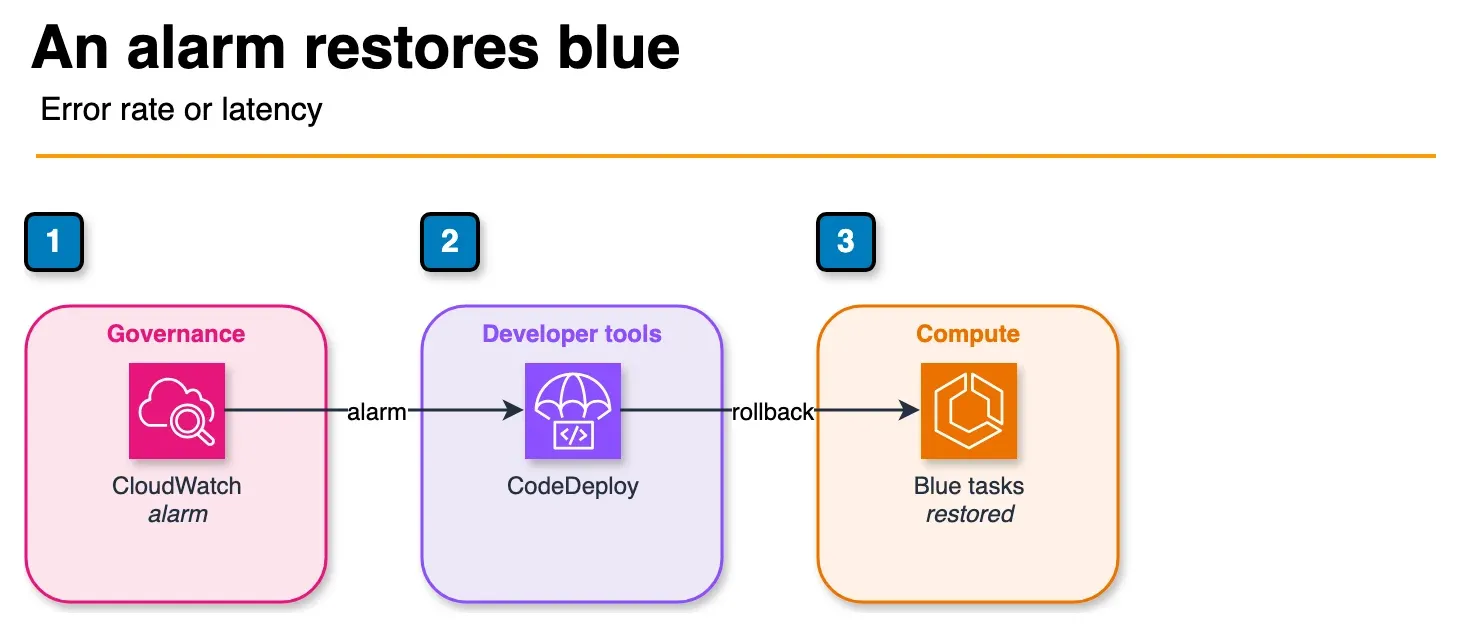
Figure: rollback in the article. A high error rate or high latency on the new version tells CodeDeploy to put traffic back on the blue task set. Open the draw.io source.
Track deployment health and traffic shift:
import boto3

cloudwatch = boto3.client('cloudwatch')

# Alarm: High error rate on new version
cloudwatch.put_metric_alarm(
    AlarmName='ECS-Green-Error-Rate',
    MetricName='HTTPCode_Target_5XX_Count',
    Namespace='AWS/ApplicationELB',
    Statistic='Sum',
    Period=60,
    Threshold=10,
    ComparisonOperator='GreaterThanThreshold',
    AlarmActions=['arn:aws:sns:us-east-1:123456789012:deployment-alerts'],
    Dimensions=[
        {'Name': 'TargetGroup', 'Value': 'targetgroup/api/xxx'}
    ]
)

# Alarm: High latency on new version
cloudwatch.put_metric_alarm(
    AlarmName='ECS-Green-High-Latency',
    MetricName='TargetResponseTime',
    Namespace='AWS/ApplicationELB',
    Statistic='Average',
    Period=300,
    Threshold=1.0,  # 1 second
    ComparisonOperator='GreaterThanThreshold'
)
Step 10: Production Patterns
Pattern 1: Canary Deployment (Safer Traffic Shift)
Instead of linear 10% shifts, do canary: 10% for 5 mins, monitor, then 100%.
In appspec.yaml:
Hooks:
  - BeforeAllowTraffic: 'validate-deployment'
  - AfterAllowTraffic: 'monitor-canary' # Monitor for 5 mins before full shift
Monitor script:
def monitor_canary(event, context):
    """Monitor green version during canary phase"""
    cloudwatch = boto3.client('cloudwatch')

    # Get error rate of green task set
    response = cloudwatch.get_metric_statistics(
        Namespace='AWS/ApplicationELB',
        MetricName='HTTPCode_Target_5XX_Count',
        Dimensions=[...],
        StartTime=datetime.now() - timedelta(minutes=5),
        EndTime=datetime.now(),
        Period=60,
        Statistics=['Sum']
    )

    error_count = sum([dp['Sum'] for dp in response['Datapoints']])

    if error_count > 5:
        # High errors, rollback
        return 'Failed'
    else:
        # Errors acceptable, proceed
        return 'Succeeded'
Pattern 2: Instant Rollback on Error Rate
Use CloudWatch alarms to trigger automatic rollback:
# If error rate spikes, automatically rollback
aws codedeploy create-deployment-group \
  --... \
  --auto-rollback-configuration '{
    "enabled": true,
    "events": ["DEPLOYMENT_FAILURE", "DEPLOYMENT_STOP_ON_ALARM"]
  }' \
  --alarm-configuration '{
    "enabled": true,
    "alarms": [
      {"name": "ECS-Green-Error-Rate"},
      {"name": "ECS-Green-High-Latency"}
    ]
  }'
Pattern 3: Gradual Environment Variable Updates
Deploy new config without restarting tasks:
# Update ECS service environment variables
ecs.update-service \
  --cluster production \
  --service api-service \
  --task-definition api:2 \
  --force-new-deployment \
  --deployment-configuration '{
    "maximumPercent": 200,
    "minimumHealthyPercent": 50
  }'
This creates green tasks with new config, validates, then terminates blue.
Common Mistakes
Not configuring ALB health checks
- ALB doesn’t detect task failures
- Green tasks marked as “healthy” but app crashes
- Better: Configure health check in task definition + ALB target group
Too-short task startup period
startPeriod: 10(10 seconds)- App takes 30 seconds to start, health check fails
- Task is marked unhealthy and killed
- Better: Set
startPeriodto app startup time (60-120 seconds)
No post-deployment monitoring
- Deploy green, traffic shifts, app crashes 10 mins later
- Too late to rollback (customers already affected)
- Better: Monitor for 5-10 mins after 100% shift, auto-rollback on errors
No validation script
- Green tasks pass health checks but app bugs cause errors
- CodeDeploy can’t detect logical errors
- Better: Create validation Lambda that tests critical APIs
Instant traffic shift (BLUE_GREEN instead of LINEAR)
- All traffic switches to green immediately
- If green has issues, 100% of traffic affected
- Better: Use CodeDeployDefault.ECSLinear10Percent5Minutes
Cost Estimation
For 3 ECS tasks (256 CPU, 512 MB memory) on Fargate:
| Phase | Cost |
|---|---|
| Steady state (blue only) | 3 tasks × $0.04/hour = $0.12/hour |
| During deployment (blue + green) | 6 tasks × $0.04/hour = $0.24/hour |
| Deployment duration | 15 mins (~$0.06 extra) |
| Monthly cost increase | 4 deployments × $0.06 = $0.24/month |
Cost is negligible.
What this post doesn’t cover
Full native-ECS B/G listener-rule weight YAML and Service Connect–only topologies — see AWS “migrate CodeDeploy → ECS blue/green” docs when you leave CODE_DEPLOY.
What to do Monday morning
- Decide native ECS B/G vs CodeDeploy for each service (checklist above).
- Prefer canary/linear over all-at-once; wire CloudWatch alarms to rollback.
- Add a pre-traffic validation hook that hits a critical API path.
- Walk the B/G checklist.
- Next: blue/green vs canary · monolith→Fargate.
- Talk to FactualMinds.
Frequently asked questions
What is the difference between blue/green and canary deployments?
How does CodeDeploy know when a deployment succeeded?
Can I rollback a deployment automatically?
How much does blue/green on ECS cost?
What happens if green tasks fail to start?

AWS Cloud Architect & AI Expert
AWS-certified cloud architect and AI expert with deep expertise in cloud migrations, cost optimization, and generative AI on AWS.